Wordshop
Vocab activities for your classroom
Marzano's Six Steps to Effective Vocabulary Instruction
Ed researcher Robert J. Marzano suggests that we can help close the achievement gap by explicitly teaching subject-specific academic vocabulary to those students who are lacking the background knowledge to succeed in school. We urge you to check out this handy-dandy chart that demonstrates how the Visual Thesaurus can help you implement Marzano's six steps of vocabulary instruction.
|
Robert J. Marzano's "Six Steps to Effective Vocabulary Instruction" (steps paraphrased from Building Background Knowledge for Academic Achievement) |
How the Visual Thesaurus can support |
|
1. The teacher explains a new word — going beyond reciting its definition. |
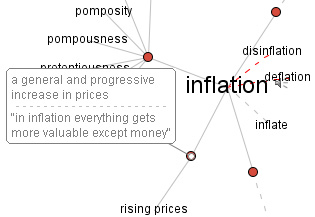
What better way to introduce a new term than to display an interactive word map? Teachers and students can use the interactive word map and its definitions as a springboard for explaining the term in their own words. The Visual Thesaurus goes beyond definitions by providing words in context and exposing students to the relationships that exist between the new term and other words they may already know. |
|
2. Students restate or explain the new word in their own words. |
|
|
3. Students create a nonlinguistic representation of the word. |
Students can right-click on any word (control-click on the Mac) and have the option of running an Internet search or image search to find visual or representational evidence of a word. |
|
4. Students engage in activities to deepen their knowledge of the new word. |
Search the Visual Thesaurus lesson plan finder at the top of the Educators page to find lessons that are chock-full of activity and discussion ideas that take vocabulary instruction beyond rote memorization. |
|
5. Students discuss the new word. |
|
|
6. Students play games to review new vocabulary. |
With the Visual Thesaurus's latest upgrade, teachers can save a customized word list as a community spelling bee. |